Cracked
You did it
+$10
Back in your vault
You hit the goal inside the window. The Lock opens and your stake returns to your vault in full — the figure you staked, not a reduced one.
Yes — cracked is the good one.
Fitness goals, backed by your own money
Stake from $2 on a goal you set yourself. Do the work and you crack the Lock — your stake comes straight back. Come up short and you're locked out, and it goes where you chose up front.
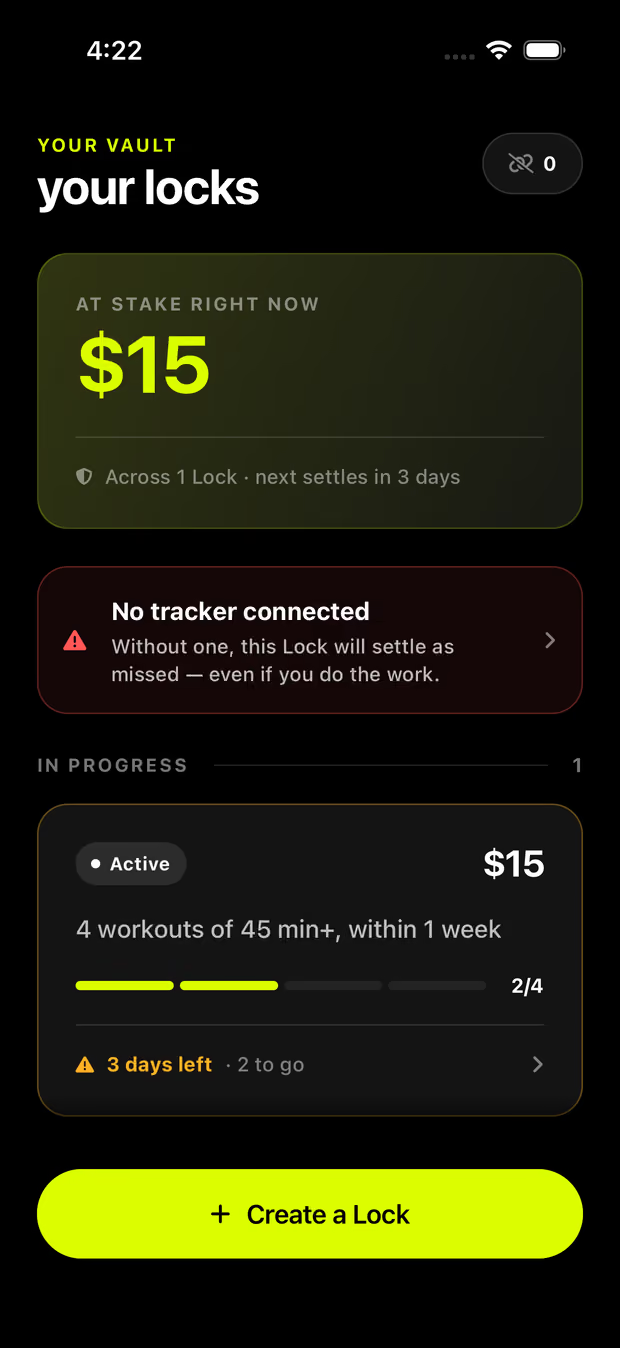
Two ways it ends
Lockd uses two words for them, and one of them catches people out. Worth 20 seconds now so the rest of this page reads the way it should.
You did it
+$10
Back in your vault
You hit the goal inside the window. The Lock opens and your stake returns to your vault in full — the figure you staked, not a reduced one.
Yes — cracked is the good one.
You came up short
−$10
Goes to your forfeit
The window closed before you got there. Your stake goes to the Spotter or charity you picked when you set the Lock — a destination you named yourself, before you signed.
And locked out is the one to avoid.
There is no third outcome. Nothing rolls over, nothing compounds, and there is nobody on the other side of it.
The gap
Skipping a session is free, so it happens. Lockd puts a small, real price on it — one you set yourself, and one you get back the moment you follow through.
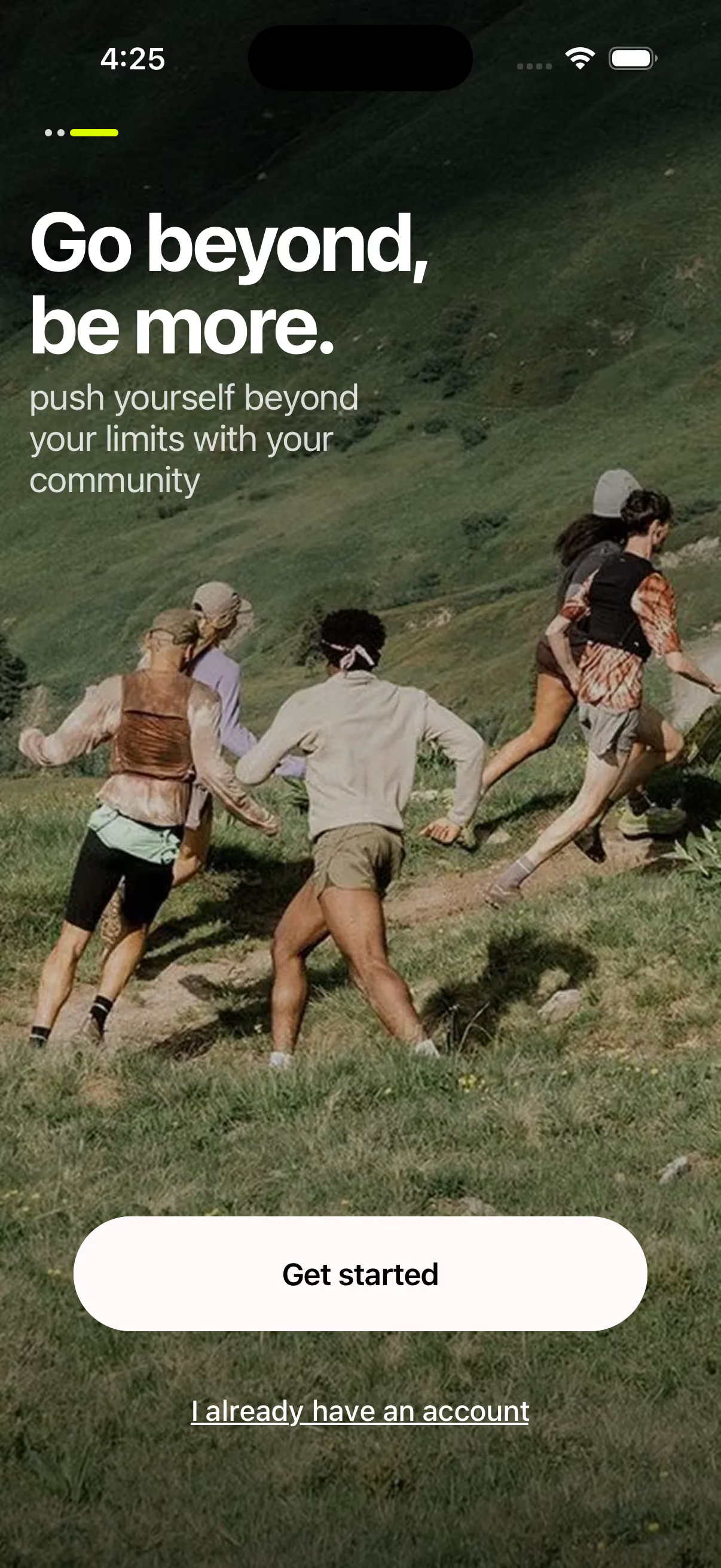
Lockd's own opening screen. The work is still yours to do — Lockd only makes sure it's worth doing.
Set the price of quitting
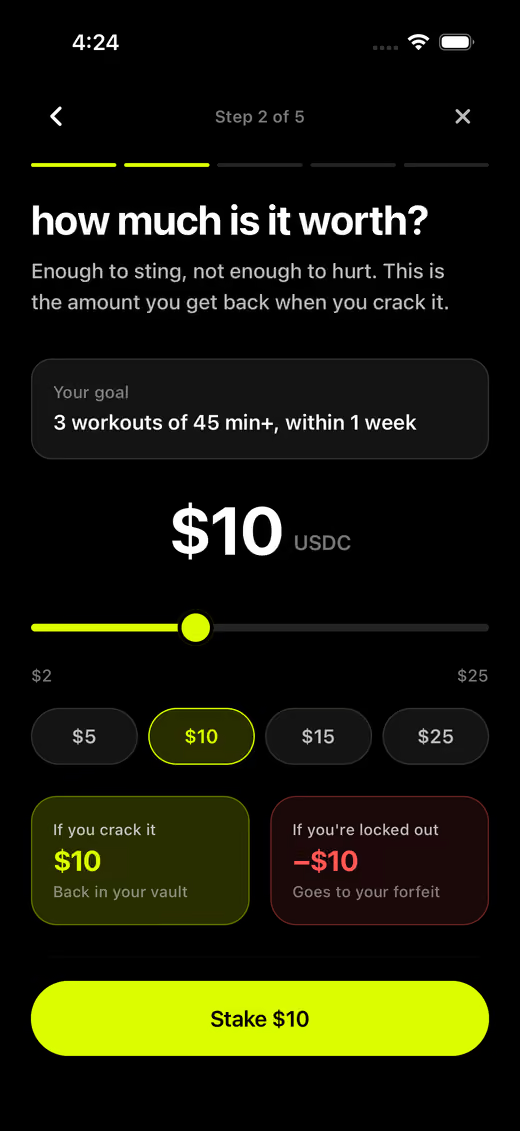
Enough to sting, not enough to hurt. Move the slider and watch both endings change. This is the real range in the app — $2 to $25.
Your stake
$USDC
If you crack it
+$10
Back in your vault
If you're locked out
−$10
Goes to your forfeit
Crack it and the full amount comes back — the figure you staked, not a reduced one.
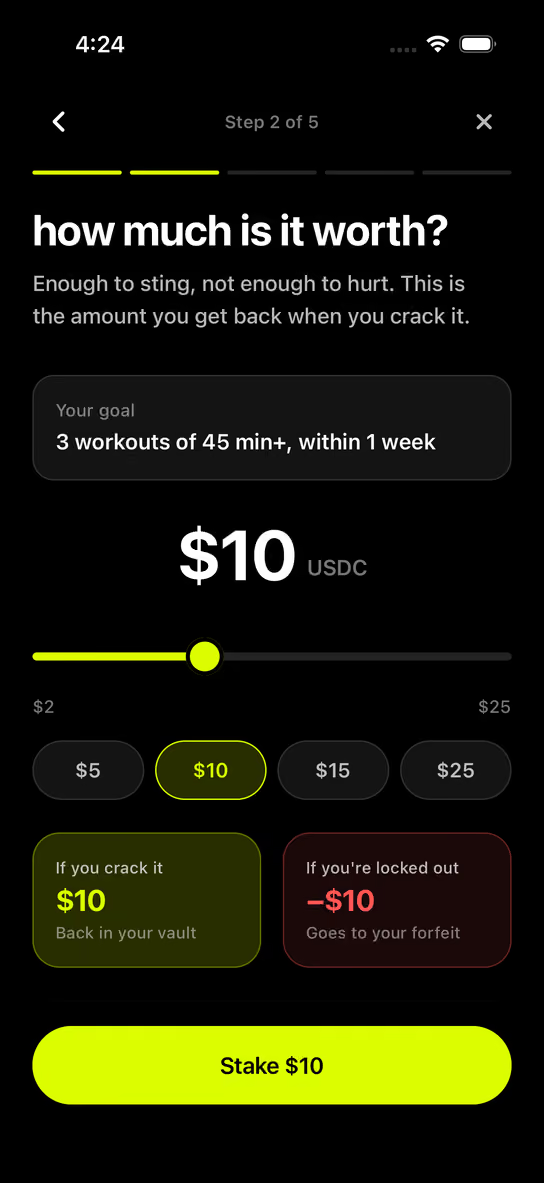
Step 2 of 5 in the app.
Setting a Lock
Once it's signed, the only thing that changes the outcome is whether you do the work.
Pick a template or build your own: how many workouts, how long each one has to be, and the window you've got to do them in. The app fine-tunes from there.
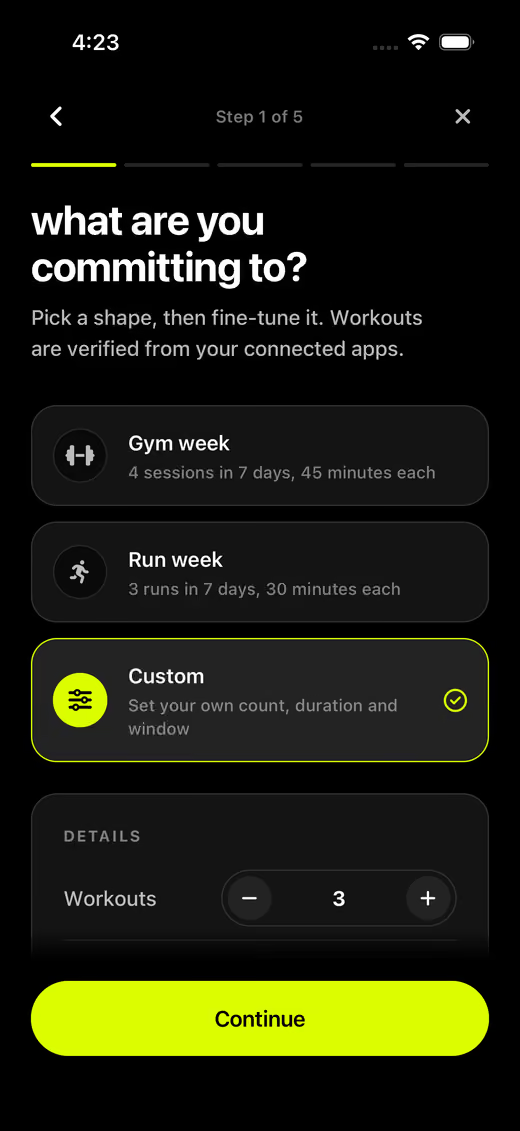
Anywhere from $2 to $25. Both endings are shown side by side before you commit to either — the app never lets you set a stake without seeing what missing it costs.
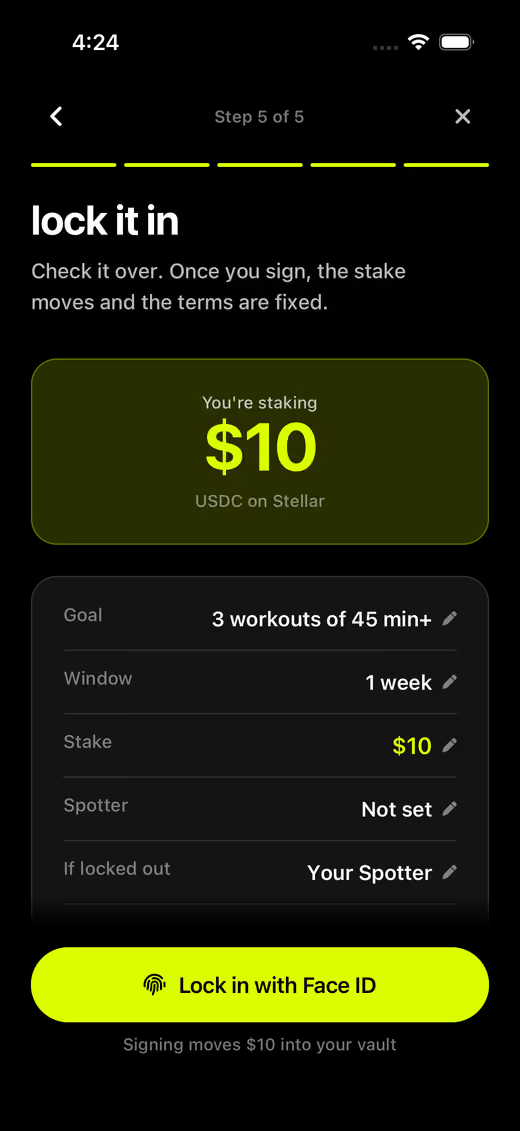
A last read of the terms, then you sign with Face ID. The stake moves and the terms are fixed — you cannot quietly soften the goal halfway through the week.
Verification
We'll verify from workouts you already track. There's nothing to log in Lockd, no timer to remember to start, and no photo to upload as proof.
Lockd reads the workouts your apps have already recorded and uses them to settle your Lock. You keep training exactly the way you do now.
Strava
Runs, rides and gym sessions you already post
Apple Health
Whatever your iPhone and Watch already record
Health Connect
The Android hub your tracker already writes to
When the data is messy
Fitness data is imperfect — watches die, apps go down, sessions sync late. Here's what happens when the record isn't clean.
If Strava rate-limits us or a health sync drops, that is our problem, not yours. A Lock is never settled as locked out because our side of the pipe broke.
When the data can't answer the question either way, the Lock doesn't guess. It escalates to your Spotter, who can see what happened and make the call.
If nobody answers within 48 hours, the Lock cracks. The default when the system is unsure is that you keep your money.
Your money
You're putting real money down, so here is exactly what happens to it.
Straight answers
The things people ask before they put money on a week of training.
Nobody. A Lock has no other side. You are not matched against anyone, and the outcome turns on one question only: whether the workouts land inside your window. Crack it and the stake comes back in full. Get locked out and it goes to the Spotter or charity you named before you signed.
Yes. The amount you staked is the amount that returns to your vault — the full figure, not a reduced one.
No, and there's nothing in Lockd to log them in. You connect Strava, Apple Health or Health Connect once, then keep training exactly as you already do.
Then the Lock doesn't settle against you. A failure on the data side is never treated as you missing the work — it goes to your Spotter, and if nobody answers within 48 hours the Lock cracks.
No. Once you sign, the stake moves and the terms are fixed. That is the entire point — a goal you can quietly soften on Thursday is the one you were already going to miss.
It uses USDC on Stellar underneath, which is why a $2 stake is even practical. You never deal with any of that: you open your vault with Face ID or a fingerprint, and there is nothing to write down, install or back up.
First Locks
Lockd is still being built. Leave your email and we'll tell you the day you can set your first Lock — nothing before that.
We'll only use your email to tell you when Lockd opens up. Nothing else, and you can ask us to delete it at any time at hello@lockd.app.

